

Download Visual Search Pony – Free Duplicate Video Finder for Windows & Mac
Looking for a powerful, secure, and intuitive way to find duplicate videos on your PC or Mac? Visual Search Pony is a standout software that uses advanced visual detection technology to scan your hard drive and identify identical or near-identical video content—regardless of file size, resolution, or format. Unlike traditional duplicate finders that rely on file names or metadata, Visual Search Pony analyzes actual video frames, making it one of the most accurate tools available for video organization.
Whether you're managing a personal movie library, archiving family videos, or cleaning up a cluttered media folder, this tool helps you reclaim valuable storage space. With support for over a dozen formats—including MP4, AVI, MKV, WMV, FLV, 3GP, and MPG—Visual Search Pony ensures no duplicate slips through the cracks. The software is easy to install, runs smoothly on Windows 7 and later, and is completely free to download and use.
Experience a smarter, faster way to declutter your digital video collection with this innovative tool.
Key Features of Visual Search Pony
Visual Search Pony stands out in the crowded software market thanks to its unique approach to duplicate detection. Instead of relying on file names, timestamps, or metadata—which can be misleading or missing—this tool uses visual fingerprinting technology to analyze actual video content. Each video is broken down into key frames, which are then compared against other videos in your library. This method ensures that even if two videos have different resolutions, bitrates, or file extensions, they will still be flagged if they contain the same visual content.
One of the most impressive features is its format flexibility. Whether you're working with high-definition MKV files, older AVI clips, or mobile-recorded 3GP videos, Visual Search Pony handles them all seamlessly. The software supports MP4, WMV, FLV, SWF, MPG, and more, making it ideal for users with diverse media libraries. Another standout feature is the real-time preview of matched videos. When duplicates are found, you can instantly view both clips side-by-side to confirm the match, reducing false positives and giving you full control over which files to delete.
Additionally, Visual Search Pony includes a smart filtering system that allows you to set sensitivity levels—ideal for users who want to catch near-duplicates (like edited versions of the same video) or only exact matches. The tool also generates detailed reports, which can be exported for review or shared with others. With its lightweight design and minimal system impact, it runs efficiently even on older machines. All these features make Visual Search Pony not just a duplicate finder, but a comprehensive video management tool.
How to Install and Use Visual Search Pony
Getting started with Visual Search Pony is simple and requires no technical expertise. Begin by downloading the software from the official website. The installer is lightweight and secure, with no bundled adware or unwanted programs. Once downloaded, run the setup file and follow the on-screen prompts. The installation process takes less than a minute and doesn’t require admin rights on most systems.
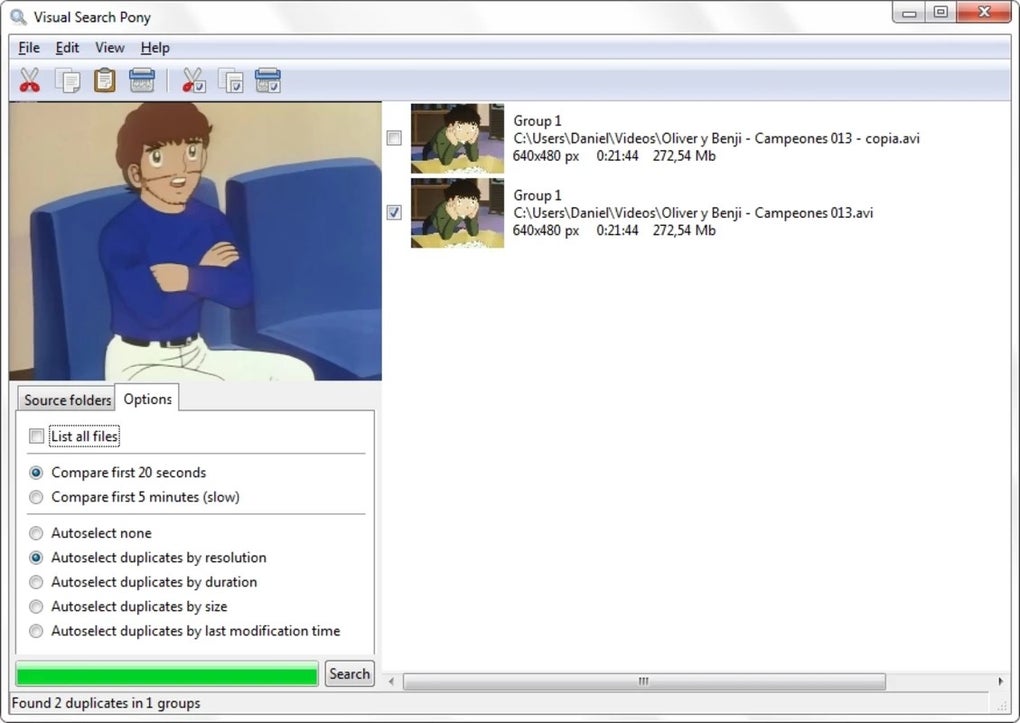
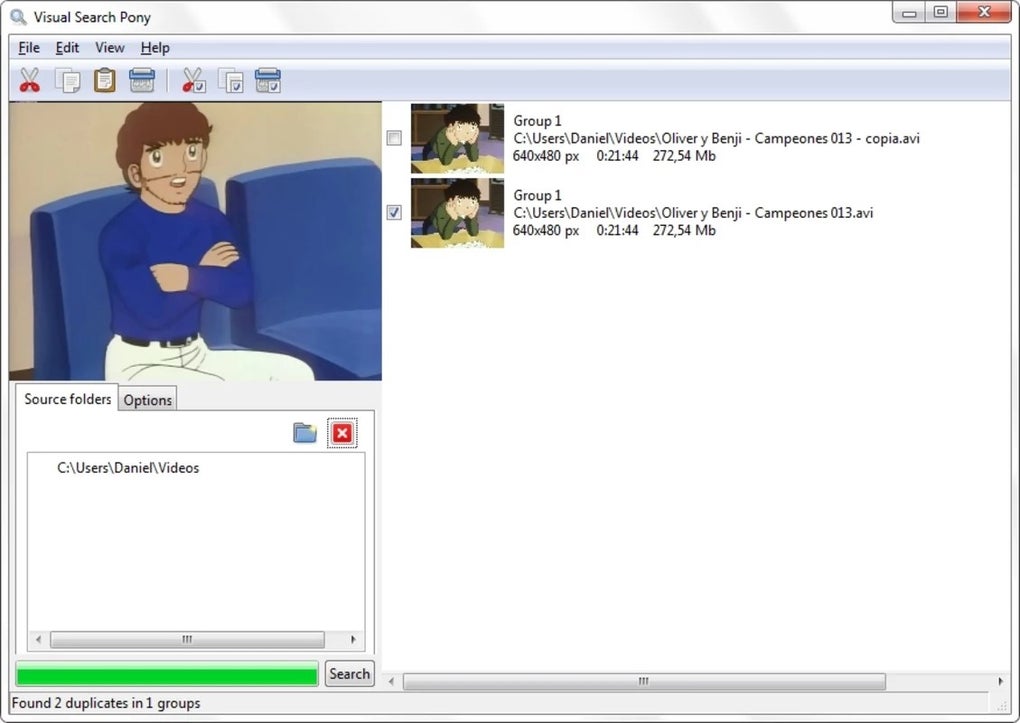
After installation, launch the app. The clean, user-friendly interface makes navigation intuitive. Click on “Scan” and select the folders or drives you want to analyze—this could be your entire C: drive, a specific “Videos” folder, or even external storage devices. You can also set preferences such as file types to include, sensitivity level, and whether to ignore small differences in resolution or aspect ratio.
Once the scan begins, Visual Search Pony will analyze every video frame in the selected directories. The progress bar shows real-time updates, and you can pause or stop the scan at any time. After completion, the software displays a list of detected duplicates, grouped by similarity. You can preview each match, compare timestamps, and even view thumbnails side by side. When you’re ready, select the files you want to remove and click “Delete.” The tool offers a safe deletion mode that moves files to the Recycle Bin, giving you a chance to recover them if needed.
For advanced users, Visual Search Pony also supports batch operations and scheduled scans. You can set it to run weekly or monthly to keep your media library clean without manual effort. The entire process—from download to cleanup—can be completed in under 10 minutes, making it perfect for both beginners and power users.
Compatibility and System Requirements
Visual Search Pony is designed to work seamlessly across multiple platforms, ensuring broad accessibility. It is fully compatible with Windows 7, 8, 10, and 11, both 32-bit and 64-bit versions. The software has been tested on a wide range of hardware, from low-end laptops to high-performance desktops, and performs reliably in all environments.
For Mac users, a native version is also available, supporting macOS 10.14 (Mojave) and later. This means whether you're using a MacBook Air, iMac, or Mac mini, you can enjoy the same powerful duplicate detection capabilities. The app is lightweight, consuming minimal RAM and CPU during scans, so it won’t slow down your system while running in the background.
Additionally, Visual Search Pony supports external drives, USB flash drives, and network-attached storage (NAS) devices—making it ideal for users who store videos across multiple locations. The software doesn’t require an internet connection to function, ensuring privacy and security during scans. All processing happens locally on your device, so your personal videos remain confidential.
System requirements are modest: a modern processor (Intel i3 or equivalent), at least 2GB of RAM, and 100MB of free disk space. These low demands mean that even older computers can run the software effectively. Whether you're on Windows, Mac, or managing media across devices, Visual Search Pony delivers consistent performance and reliability.
Pros and Cons of Visual Search Pony
- Pros:
- Uses visual fingerprinting for highly accurate duplicate detection
- Supports a wide range of video formats (MP4, AVI, MKV, WMV, FLV, 3GP, MPG, SWF, and more)
- Intuitive interface with real-time previews and side-by-side comparison
- Lightweight and efficient—low system resource usage
- Free to download and use with no hidden costs
- Safe deletion with Recycle Bin integration
- Supports external drives and network storage
- Regular updates for improved performance and compatibility
- Cons:
- Currently no native iOS or Android app (mobile support limited)
- Advanced features like scheduled scans require some setup
- May take longer on very large video libraries (100GB+)
- Limited language options (primarily English, with basic support for Spanish and German)
- No cloud backup integration (files are deleted locally only)
Frequently Asked Questions (FAQ)
-
Is Visual Search Pony free to download and use?
-
Yes, Visual Search Pony is completely free to download and use. There are no trial periods, subscription fees, or hidden charges. You can scan, compare, and delete duplicate videos at no cost.
-
Can Visual Search Pony detect near-duplicates (like edited versions of the same video)?
-
Absolutely. The software includes a sensitivity setting that allows you to detect not just exact duplicates but also near-identical videos—such as those with different resolutions, frame rates, or minor edits. This makes it ideal for finding slightly altered versions of the same content.
-
Does Visual Search Pony require an internet connection?
-
No, Visual Search Pony works entirely offline. All video analysis and comparison happen locally on your device, ensuring your privacy and data security. No video files are uploaded to any server.
-
Is Visual Search Pony safe to use for deleting files?
-
Yes, the software is designed with safety in mind. It moves deleted files to the Recycle Bin by default, giving you a chance to recover them if needed. You can also preview matches before deletion to avoid accidental removal.
-
Can I schedule automatic scans with Visual Search Pony?
-
Yes, advanced users can set up scheduled scans through the app’s settings. This allows the software to run weekly or monthly scans automatically, helping you maintain a clean video library without manual effort.
Final Verdict: Why You Should Download Visual Search Pony Today
If you’re tired of cluttered video folders, wasted storage space, or accidentally keeping multiple copies of the same footage, Visual Search Pony is the solution you’ve been waiting for. Its innovative visual detection method sets it apart from traditional duplicate finders, offering unmatched accuracy and reliability. Whether you’re a casual user with a few home videos or a media enthusiast managing a large digital archive, this tool simplifies the cleanup process with ease and precision.
With its free license, broad format support, and secure, offline operation, Visual Search Pony delivers exceptional value. The intuitive interface and real-time preview features make it accessible to everyone, while advanced options cater to power users. It’s one of the few tools that truly understands the challenges of video management in the modern digital age.
Don’t let duplicate videos eat up your storage. Download Visual Search Pony today and reclaim your hard drive with confidence. It’s fast, secure, and completely free—making it a must-have for any Windows or Mac user with a video collection.







